

Whoa... I just made $50 as a Raycast affiliate. They offer 30% commission on all payments. All I did was make a few YouTube videos about Raycast and included my link in the description. Makes me think I should be cranking out more of those videos. I love Raycast.
Took some time out this morning to leverage the helpful WippReMacro utility to create a corner camera in DaVinci Resolve complete with multiple settings that I’ve been configuring every time I create a new project.

Pinboard up for renewal. Do I pay for another year or finally switch to Linkding? On one hand, I like not having to think about managing yet another solution on my own. I also like using Pinboard apps on my iPhone and the ease of saving links via the share sheet.
On the other hand, it’s one more subscription. What to do? What to do?
Setup an n8n instance on Railway and assigned a custom domain. I think I’m done with Zapier and Make.com at least for my own needs. I still get paid by clients to work with those other platforms but going forward, my energy is going into n8n.
Making New Year’s Breakfast, a video I created this morning to welcome 2025.


I started delivering for Uber Eats today and recorded a video at the end of the day summarizing my thoughts. youtu.be/NKKg8Kthj…
If you are anything like me, you’d want to use an SSL certificate from Let’s Encrypt so that you can access your Proxmox server via a fully qualified domain name, am I right?
Well, I recently switched from Cloudflare to Namecheap and had to figure out how to reconfigure things so I made a how to video.

As I continue to leverage my Dream Machine Pro by utilizing the features it provides, the next thing I’m working on is setting up DDNS and Teleport. I’ve already got DDNS configured to work with Cloudflare but that requires running a script on my Raspberry Pi. I recently removed my Raspberry Pi’s from the server rack so it’s time to mix it up.
UniFi doesn’t support Cloudflare for DDNS, for some reason. They support a number of other platforms though, and Namecheap is one of them. I host some of my domains on Namecheap as well as Hover so I decided to simplify things and go with a supported solution. So, tonight I transferred my homelab domain from Hover to Namecheap and once the transfer is complete, I’ll setup DDNS and do away with my Cloudflare config.
The never ending quest to simplify continues.
Most recently, I’ve removed two Raspberry Pi’s from my server rack. Instead of relying on these machines to handle ad blocking, DNS, and a few other seldom used duties, I am now defaulting to the Dream Machine Pro for DNS and I’ve installed Wipr on my iPhone, iPads, and Mac.
I’m down to one Mac now. Feels good to stop thinking about syncing data across machines.

As my journey into Kubernetes continues, I focused on finalizing my infrastructure and laying down the foundation of a cluster. As mentioned in prior posts, I’m building a cluster on three AWS EC2 instances.
Containerd
We finished up installing containerd. As part of the process, we had to update SystemdCgroup from false to true in the /etc/containerd/config.toml file and instead of using Vim we used this command, which was very efficient.
Kubernetes Odysseys are curated highlights from my explorations across the web. I seek out and share intriguing and noteworthy links related to all things Kubernetes. You can find all my Kubernetes bookmarks on Pinboard and explore all my blog posts categorized under Kubernetes.
Practical exercises to learn about Amazon Elastic Kubernetes Service. I browsed most of the workshop instructions and am impressed with the structure, depth, and approach Amazon has taken here. While I’m currently building a cluster from scratch using AWS EC2, at some point I plan to follow this workshop and potentially stream my experience on Twitch. If that interests you, let me know.
Zapier now makes it possible to add checklists to Interface pages. I made a video about it.
In this video, I share how to customize the start page in Safari.
Over the course of the last week, I learned…
- Docker
- Kubernetes
Docker
I finished the [[Docker Training Course for the Absolute Beginner]] this week.
The main takeaways from the final sections of the course revolved around the Docker Engine, Storage, Networking, and the Registry.
This was extremely valuable as it cleared up for me so many things I’ve only passively dealt with up to this point as I’ve deployed containers in my homelab. Now, I have a much better understanding.
Kubernetes Odysseys are curated highlights from my explorations across the web. I seek out and share intriguing and noteworthy links related to all things Kubernetes. You can find all my Kubernetes bookmarks on Pinboard and explore all my blog posts categorized under Kubernetes.
Flux is a set of continuous and progressive delivery solutions for Kubernetes that are open and extensible.
A visual guide on troubleshooting Kubernetes deployments
A fantastic resource for your Kubernetes troubleshooting adventures.
This past week I studied…
- Docker
- Kubernetes
Docker
Though I’ve installed plenty of Docker containers in my Homelab, I don’t fully understand what is going on ‘under the hood.’ How are containers built? What’s the difference between an image and a container? What is the method to the madness of port mapping and other configuration options? I no longer wish to simply run Docker containers, I wish to fully understand them.
Flux for GitOps
My Skool teacher encouraged me to use Flux instead of Argo CD so I’m going to make the switch.
As I review the docs this Friday evening (while my wife is off skating at the local rink so I have some time alone) I’ve decided to follow the monorepo approach whereby I will store all of my Kubernetes manifests in a single Git repository.

Kubernetes Odysseys are curated highlights from my explorations across the web. I seek out and share intriguing and noteworthy links related to all things Kubernetes. You can find all my Kubernetes bookmarks on Pinboard and explore all my blog posts categorized under Kubernetes.
Deploying a highly-available Pi-hole ad-blocker on K8s
A well written article on installing Pi-hold on your cluster for high availability. I plan to follow these instructions for my own cluster.

MetalLB
MetalLB is a Kubernetes-based load balancer that assigns IP addresses to services, facilitating network requests to those IPs.
Install MetalLB on main control node
# Add MetalLB repository to Helm
helm repo add metallb metallb.github.io/metallb
Check the added repository
helm search repo metallb
Install MetalLB
helm upgrade –install metallb metallb/metallb –create-namespace \ –namespace metallb-system –wait
Now that MetalLB is installed, we need to assign an IP range for it. In this case, we allow MetalLB to use the range 10.0.20.170 to 10.0.20.180.
Now I move on to installing Kubernetes.
On Node 1
curl -sfL https://get.k3s.io | sh -s - --write-kubeconfig-mode 644 --disable servicelb --token <1Password> --node-ip 10.0.20.160 --disable-cloud-controller --disable local-storage
On Nodes 2 –4
curl -sfL https://get.k3s.io | K3S_URL=https://10.0.20.160:6443 K3S_TOKEN=<1Password> sh -
Installing apps that would have been installed had I replaced dietpi.txt per the instructions.
- OpenSSH Client
- Samba Client
- RPi.GPIO
- OpenSSH Server
- Python 3 pip
Label nodes
kubectl label nodes cube01 kubernetes.io/role=worker
kubectl label nodes cube02 kubernetes.io/role=worker
kubectl label nodes cube03 kubernetes.io/role=worker
kubectl label nodes cube04 kubernetes.io/role=worker
Denote the node-type as “worker” for deploying applications
Today’s K3s objective: OS Setup
Assign IP addresses in UniFi. I don’t like assigning IP addresses anywhere other than at the router level so I won’t be doing this directly on the pi’s.
Configure each pi with timezone, hostname, password.
Append the following to cmdline.txt
group_enable=cpuset cgroup_enable=memory cgroup_memory=1
Modify /etc/hosts
10.0.20.160 cube01 cube01.local
10.0.20.161 cube02 cube02.local
10.0.20.162 cube03 cube03.local
10.0.20.163 cube04 cube04.local
Finally, install iptables
apt -y install iptables
Next I’ll be performing the Kubernetes installation.
I just paid $7 for a prescription on CostPlus which would have cost me $450 otherwise.
Kubernetes Odysseys are curated highlights from my explorations across the web. I seek out and share intriguing and noteworthy links related to all things Kubernetes. You can find all my Kubernetes bookmarks on Pinboard and explore all my blog posts categorized under Kubernetes.
Though painful, it's always interesting and somewhat cathartic to read about failure stories.


Kubernetes Odysseys are curated highlights from my explorations across the web. I seek out and share intriguing and noteworthy links related to all things Kubernetes. You can find all my Kubernetes bookmarks on Pinboard and explore all my blog posts categorized under Kubernetes.
SpinKube is an open source project that streamlines developing, deploying and operating WebAssembly workloads in Kubernetes - resulting in delivering smaller, more portable applications and incredible compute performance benefits.
As I lay the foundation for my Pi powered K3s cluster, I’ve decided that I want all four nodes to be identical. Thus, I have ordered two Raspberry Pi CM4s, each with 8GB ram and 32GB eMMC flash storage. These match the specs of two of my other CM4s already in the Turing Pi. Once installed, I plan to bring up the cluster within the next few days. I’m looking forward to configuring and learning about MetalLB, a Kubernetes-based load balancer that assigns IP addresses to services, facilitating network requests to those IPs.
Spent some time last night working on the Turing Pi, my four Raspberry Pi CM4 cluster. I brought all OS updates up to most recent and then spent a good amount of time trying to upgrade the firmware. My first issue was that the BMC (Baseboard Management Controller) wasn’t showing up in my router so I had no way to access it either via SSH or the UI. How do you upgrade something you cannot access? I ended up yanking all four nodes off the board and then removing the motherboard from the case so that I could access the SD card slot. Of course the SD card slot is just behind the frame, enough so that I had to completely remove it in order to access the slot.

Kubernetes Odysseys are curated highlights from my explorations across the web. I seek out and share intriguing and noteworthy links related to all things Kubernetes. You can find all my Kubernetes bookmarks on Pinboard and explore all my blog posts categorized under Kubernetes.
Kubernetes turned 10 on June 6th
Who could have predicted that 10 years later, Kubernetes would grow to become one of the largest Open Source projects to date with over 88,000 contributors from more than 8,000 companies, across 44 countries. - Kubernetes Blog
Omakub — An Omakase Developer Setup for Ubuntu 24.04 by DHH looks well conceived. I may bust out an old laptop and take it for a spin.
In my never ending quest for a keyboard that suits me, my latest acquisition is the Q11 split board by Keychron. I’ve only had it for a few days. I’m loving it. The split is very comfortable and quite easy to get used to.
Just before this keyboard, I picked up a Kinesis AdvantagePro but I only lasted a few days with what I call a radical design. I found the concavity extremely comfortable but the thought of spending weeks or months learning the board overwhelming. I opted for a split board that is more traditional which led me to Keychron.
Ten (10) years ago, on June 6th, 2014, the first commit of Kubernetes was pushed to GitHub.
In preparation for the CKA exam, I’ve started running through CKA scenarios on Killercoda. They have a free tier but I went ahead and paid $10/month for access to the environment which mimics the actual exam.
Rio Kierkels, one of the members of the Skool community I’m a part of, presented a really powerful solution today, showing us the amazing tool called Task which is a task runner / build tool.
His presentation was done with presenterm, a TUI markdown terminal slideshow tool.
Awesome stuff… both the topic of the presentation as well as the presentation tool itself.
If you are interested in Kubernetes, DevOps, and productivity, check out the Skool community. There is a free tier and a paid tier, which I happily pay for because the community is amazing and I’m learning a lot from it.
Kubernetes taints and tolerations, node selectors, and node affinity. All of these allow us to attain granular control over pod placement on nodes.
Taints and tolerations are used to set restrictions on which pods can be scheduled on a node.
To associate a pod to a node to run on, we add nodeSelector to the pod definition.
If we need more advanced operators such as OR/AND then we need to turn to node affinity to ensure pods are hosted on specific nodes.
Pinstachio for Pinboard looks like a good Pinboard app. Giving it a go.

Today’s Kubernetes learnings focused on scheduling as well as labels and selectors.
Every pod has a field called nodeName that by default is not set. The scheduler looks at all pods. If it finds one that does not have this field property set, it will rely on the scheduling algorithm to find the right node for this pod. The scheduler will create a binding object and assign a node to the pod.

As I make my way through the ‘Learn Object Oriented Programming’ course on Boot.Dev, the sections on Inheritance and Polymorphism are quite challenging. I am only a few chapters away from completing the final section on polymorphism and have decided to go back to the start of the inheritance section and start this part over. Why? I don’t know it well enough. I’m not interested in going through the motions simply to move to the next course. I need to fully grasp it or else I’m wasting my time.
To symlink my dotfiles, I use GNU Stow. Most tutorials I have encountered assume you are placing your dotfiles directory at $HOME/dotfiles and thus, the command in that case would be…
stow .
since by default, the target directory is the parent of stow dir.
In my case, I keep my dotfiles directory at /Users/dw/Repos/github.com/donovanwatts/dotfiles so I need to explicitly define home directory as the target using the -t option.
On my Mac I use Hyperkey to remap some keys. In particular, I remap left control to a hyper key, caps lock to left control, and a quick press of the caps lock key to escape.
This morning, I tried opening Arc via Hyper-A but it didn’t work. That’s odd, I thought. Then I tried creating a split in tmux and that wasn’t working either. WTF! Why is this happening?
Then I remembered… last night Hyperkey had an update and didn’t restart itself afterwards for whatever reason. I’ve can’t function without my custom keys, man.
Finished the Learn Git course on Boot.Dev. That’s Part One. I’ve updated my global git config to keep a linear history:
git config --global pull.rebase true
Perhaps my favorite learning is displaying a tight log with:
git log --oneline
When I want to see a fancy ASCII art representation, I type this:
git log --oneline --graph --all
About 80% complete with the new Git course on Boot.Dev by The Primeagen. I feel like my basic Git chops are pretty strong. This course has already upped my skills ten fold. Looking forward to part two in a month or so when it is released.
To configure load balancing in Rancher Desktop, I changed ClusterIP to LoadBalancer in my yaml config file. Upon application, Rancher created an external IP to access the service. However, the IP was in a different subnet than the one on my Mac. To solve this, I needed to check the box in Preferences to allow Administrative Access. After checking this box and entering my password, a new IP was generated that was accessible and within my subnet.
I’m looking forward to meeting up with the Rocky Python interest group this Sunday for lightning talks.
I now have a profile README on my GitHub page. If you create a public repo that matches your username, then you can edit the README.md file and it’ll show up at the top of your page.

As I learn Kubernetes by following the Kubernetes Fundamentals course on the Kubernetes, DevOps & Cloud Skool platform, Mischa van den Burg, the founder and course instructor, extolled the virtues of searching and browsing the Kubernetes site. As a matter of fact, when taking the certification exams, one is allowed to use the site as a reference so it’s good to get familiar with it.
As I am learning, I thought it might be helpful to have the Kubernetes site search at my fingertips. As a Raycast user, I went searching and discovered the Universal Website Search extension which allowed me to add the Kubernetes site by adding the site URL and including this in the template:
Now that I switched from zsh to Bash, I’m getting this message, which is annoying…
The default interactive shell is now zsh.
To update your account to use zsh, please run chsh -s /bin/zsh.
For more details, please visit https://support.apple.com/kb/HT208050.
According to the help article, I added the following to my .bash_profile and it went away.
export BASH_SILENCE_DEPRECATION_WARNING=1
Today I begin my path towards learning Kubernetes. I’m a member of the Kubernetes, DevOps & Cloud community on Skool. I’m so excited about learning this topic and plan to post more as I learn about it.


As I move into a new chapter of my professional life, one of the resources I’ve been looking forward to is the Beginner Boost, which starts today.


Dropover just took the lead over Yoink for me. Didn’t think dropping things on a shelf could get any better but it did.

Pulled in my Tweet archive. So long Twitter. Thanks @manton
Added the SnippetsLab Alfred Workflow to my toolkit.
Installed ngrok and enjoying the simplicity and power of local development.




In my quest to figure out the most efficient way to transition from iCloud Photos to my Synology, I think I have found the solution that will work best for me. PhotoSync.

Going to give Oh My Zsh a go. My preferred terminal on Mac is iTerm2. Looking forward to a fancier environment.

The execution of PopClip Extension Snippets is brilliant. forum.popclip.app/t/introdu…


I now have a reason to use Pinboard again. Integration with Hook. Brilliant.
Interestingly, to me anyway, as I build out my Johnny Decimal system, the reality is that most of my ‘files’ are simply links to various locations. Very few of my files are traditional files stored in my file system. All the things I need live in disparate systems.
I’m kind of obsessed with Minus.app. Took me a bit to wrap my head around but now that I’ve explored and configured it to my liking, I’m optimistic this is going to be a great tool for focus.
I must admit. I have no idea how to install this Alfred Bunch thing but I wish I did. Why do people not include installation instructions? github.com/kjaymille…


We should get our mobile internet bundle before our upcoming getaway. Hope the AT&T data plan covers the area we will be hanging out at.


This is me tooling around our campground on my Onewheel.


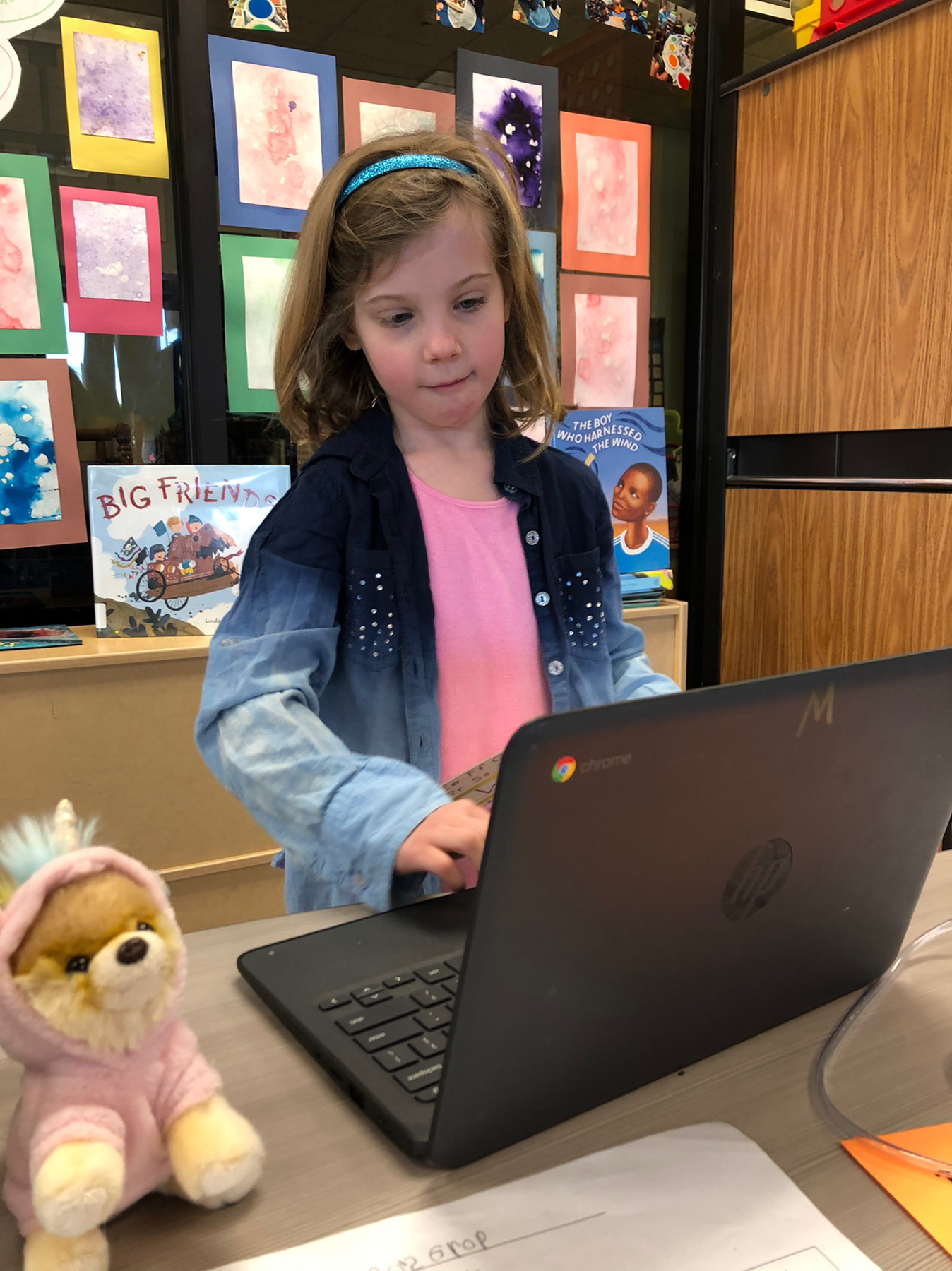

Eager to get my Apple Watch wood band. These things are really cool and affordable.
Bought myself a Onewheel Pint.
Thinking about getting a Nest once again now that I know I can integrate it with HomeKit via the Starling Home Hub.





Giving Hook an actual trial. Now that I’ve taken some time to understand it and experiment with how to make it work, I’m truly hopeful that this is going to help my workflow quite a bit.


Reading Code Craft and learning a lot. 📚









Jordan Merrick’s Mocktail is amazing. www.jordanmerrick.com/2019/03/m…

Boostnote looks like an interesting editor. As if I don’t have enough of those. boostnote.io

Been poking around the Slack API. Learned about Postman, which is a handy tool. www.getpostman.com








To point www.donovanwatts.net to my micro.blog, is this correct for my CNAME record? donovanwatts.micro.blog or should it point to pages.micro.blog?
watching uncle dave in order to learn org mode www.youtube.com/watch
dabbling in VS Code Org Mode github.com/vscode-or…
this org mode for beginners page is helpful orgmode.org/worg/org-…


Um, ok. Forget about stoop. Now that i know that Feedbin can handle my newsletter emails, I’m all in. Thanks @ablaze for making me aware of this feature. It’s awesome.


just imported a tiddler from @jack’s wiki. this tiddlywiki stuff is indeed fun and exciting.
Orderd myself a Keychron keyboard www.keychron.com
This is pretty slick. Now that I’m back on nvALT, I needed to figure this out.
You can drag an entire folder to the Marked icon and it will open a window which always shows the most recently edited text file in the folder. Marked watches for changes in all files, then looks for the newest text file and displays it. If the file is the same as the last check, then it scrolls to the edit position and works as usual.
While these recipes would typically require hours in a slow cooker or Dutch oven, the Instant Pot cooks these up in an hour and a half or less.
We use our Instant Pot constantly. Always on the lookout for easy, quick recipes. Butcher Box is a fantastic source for recipes lately.
Anyway, the latest version of Marked 2 (2.5.30) is available on all channels now (Mac App Store, direct, and Setapp). I’ve been holding off posting about it until the MAS review finished, and I’m pleased to announce that after 3 weeks, it finally has.
∞ “Marked 2 gets handy update” on brettterpstra.com


Got to have my Pandora. Grabbed Anesidora for my Mac and immediately left a tip. itunes.apple.com/us/app/an…


Digging this. itunes.apple.com


Really happy to have discovered Yoink for Mac - Usage Tips


Two worlds collide. Undebt.it integrates with YNAB. undebt.it/blog/new-…


Got my Luna and am quite impressed. Easy setup and incredibly fast display.


I love Scapple. Helps me process my thoughts better than any other mind mapping tool.


Digging Plexamp
Finally automated Box folder creation with many sub folders based on a trigger of a new Opportunity in Salesforce. This is going to allow me to dismantle lots of little pieces I had cobbled together which required me to act on the final step. So happy about this. Zapier has been great for so many things like this. ⚡️
Signed both of my kids up for the [Kids Obstacle Challenge]. (https://www.kidsobstaclechallenge.com).






TrainAsONE is my 10K AI running coach www.trainasone.com/training-…

Why did it take me so long to install the Things 3 PopClip extension? pilotmoon.com/popclip/e…






And now I have a microcast. Thanks @manton!
Excited to learn about iPad Collective – Handpicked apps and accessories for the iPad. by Jordan Merrick.




Finally found a minimal meditation Apple Watch solution in Still: Meditation tracking for your iPhone and Apple Watch

soma.fm I listen to daily.
Looking into how I might best use TaskPaper and Reminders.

Intrigued by LinkLocker. linklocker.co
Been using Parseur to parse emails. Really well done solution. app.parseur.com
Zapier driven by Alfred is pretty much my holy grail. zapier.com/blog/zapi…
Popmaker is handy. I created a Box.com search popclip extension. I am going to use this daily I imagine.
Planning to use Brett’s Planter project to help solve for a Box folder template challenge.

Panobook arrived today. Pretty nice piece of work. Going to be handy having a pad of good old fashioned paper at my fingertips.


Tinkering with netlify. I want to expand my Jekyll plugin options and learn about continuous deployment.
Pretty sure I am not going to get my refund from Mellow. They said no problem but have since not refunded me nor responded to me. It has been weeks.
I love Scapple. Restriction-free mind mapping.
Going to try Mailgun yet again. Goal is to take an auto-generated email that gets sent upon status field change in Salesforce to ‘Completed.’ Need to parse select info and post the result to a Slack channel.


Spent some time today creating some Zaps that are going to really help me get some things done more efficiently.
Selling some Airport Extremes/Expresses to Mac Me An Offer. Figuring out serial numbers has thus far been the most challenging part.

When I add microposts to my Jekyll blog, I don’t want a ‘Read more’ link since the entire post is usually the same thing. This site has a solution to my Jekyll excerpt issue.
Intrigued by the lofree keyboard.
Thinking about getting Alfred for Mac now that I know Alfred integrates with Zapier. LaunchBar has been my goto for years but the ability to control Zaps from my Mac is too enticing.
Github Pages hosts my blog, Donovan’s Brain. Today I decided to install Jekyll locally to close the loop. Wasn’t too painful.
Github Pages hosts my blog, Donovan’s Brain. Today I decided to install Jekyll locally to close the loop. Wasn’t too painful.

Thank you @manton
Though I’ve been a Ulysses user for a while now, I still felt compelled to sign up for the Learn Ulysses course from @thesweetsetup. Check it out at thesweetsetup.com/ulysses.
Transloader by Matthias Gansrigler solves my need to download things to my Mac from my iOS devices. I try alternative approaches from time to time. Always comes back to Transloader.


Created a custom page on my microblog.
I just backed Luna Display on @Kickstarter kck.st/2wARSOz


I stopped subscribing to scripting.com a long time ago. However, I do pop in from time to time to see what Dave is up to. I see Electric River is happening. May have to check that out. http://scripting.com/2017/03/28/comingSoonElectricRiver.html
Proud to work for AnswerLab, a company that helps employees with infertility. https://www.entrepreneur.com/article/293205